
Case Study: MS Excel In-House Training Services Enhancing Data Analysis and Workplace Productivity
Background on Case Study MS Excel In-House
An expanding organisation that was involved in finance, operations, sales and management functions found itself relying on Microsoft Excel in their day-to-day operations, and this was in the areas of reporting, data analysis, budgeting, forecasting and decision support. Excel was extensively spread in the departments, and the extent of usage differed greatly between the personnel.
Some of the staff were at ease with the high level of the Excel features but most were using the basic level and manual operations, therefore making them inefficient, irregular reporting styles and a greater risk of mistakes. The management noted that the teams were taking a lot of time to work with data manually, recalculate spreadsheets, and fix formula problems.
The organisation used our MS Excel In-House Training Services to create and provide a tailored training programme that is dependent on its business requirements, data ecology, and the level of skills of its employees.
Issues and Challenges
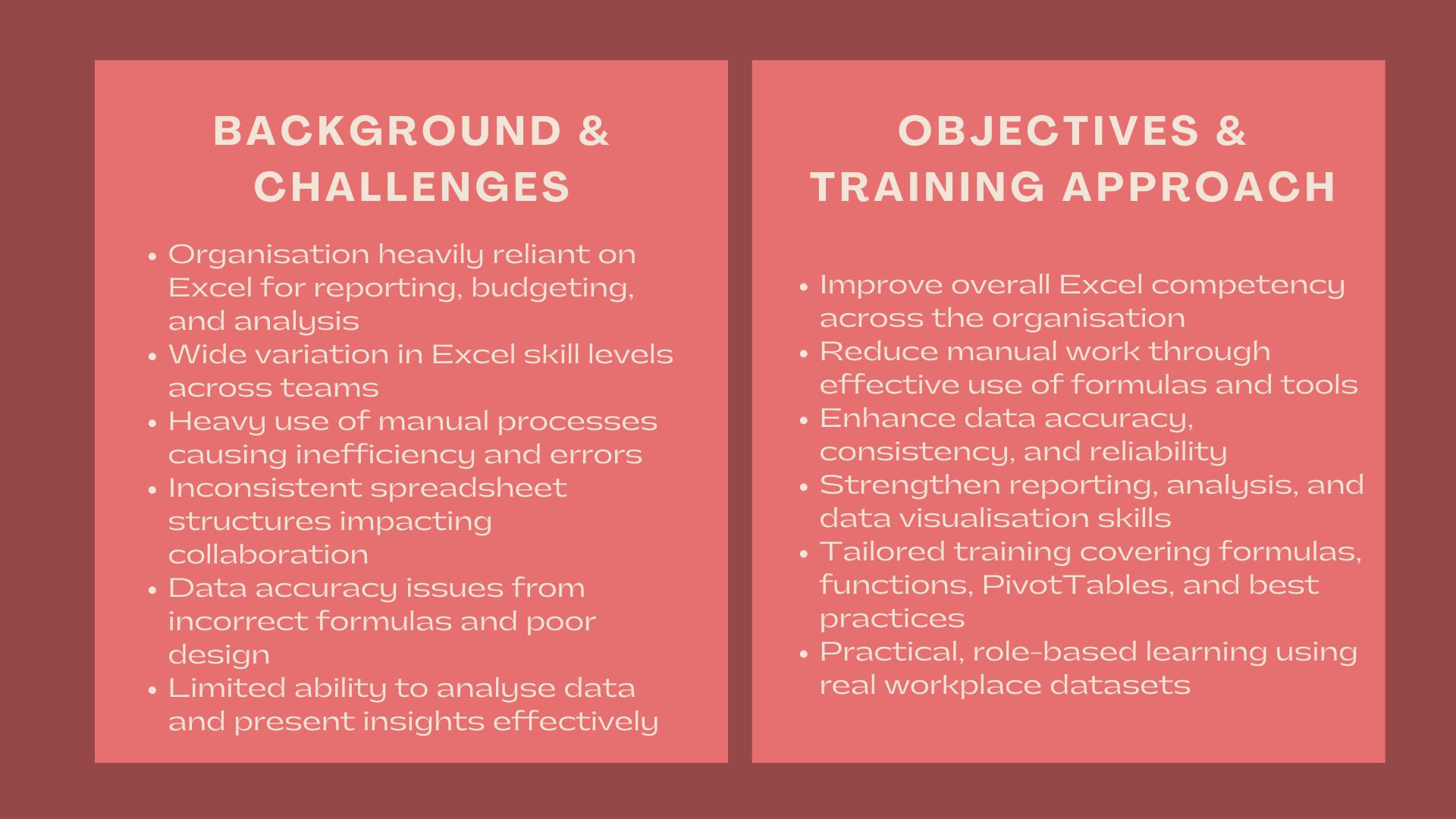
There were a number of challenges in the organisation which indicated the necessity of systematic training of Excel.
Lack of uniform excellence among teams was one of the challenges. Formulas, functions, and data tools were unfamiliar to employees to different degrees, which resulted in inefficiencies and challenges related to collaboration in cases of sharing or handing over the spreadsheets.
The other obstacle was the processes that were manual and time consuming. A lot of work was done manually including data consolidation, reporting and reconciliation and this enhanced workload and chances of making mistakes.
There was also concern of data accuracy and integrity. The wrong formulas, missing links, and irregular data structures used to create reports caused inaccurate data or slowed down decision-making at times.
There were also difficulties with the data analysis and representation in the organisation. Although huge amounts of data can be obtained, not every employee felt comfortable with working with tools available in Excel and analysing trends, developing meaningful summaries, or delivering insights in a precise manner to the management.
Lastly, the management aimed at standardising the use of Excel and enhancing the general digital competency, whereby employees could use Excel in a better way so as to facilitate operational efficiency and business performance.
Objectives
The main aim of the engagement was to develop Excel skills in the organisation by in-house training on MS Excel, which is tailor-made.
Precisely, what the organisation wanted to do was:
- Increase general knowledge and skills in Excel among the staff.
- Minimize the use of manual work and maximize efficiency by enhancing the use of Excel tools.
- Increase data accuracy, consistency and reliability.
- Enhance reporting and data analysis.
- Encourage the best practices in the spreadsheet design and use.
The training had to be practical, role-related and flexible to the various levels of skills such as beginners and advanced users.
How We Helped
A systematic and group participation strategy towards in-house training on MS Excel was embraced, based on workflow, data formats, and operational needs of the organisation.
We started with our interaction through an Excel skills and needs assessment. We collaborated with the management and department representatives to learn how Excel was applied within the teams, how they had common pain points, and what the level of the existing skills was.
It is on this basis that we developed tailor-made training modules on various topics in Excel. These were Excel basics, effective data entry and formatting, required formulas and functions, look up functions, logical functions and error handling.
Training about tools used in data analysis, e.g. pivot tables, sorting and filtering, conditional formatting, and a simple charting were also included. These issues were chosen to assist participants to analyse data more efficiently and provide information effectively.
To be efficient and accurate, we implemented best practices of spreadsheet structures, consistency of formulas and documentation. Participants were also directed on the need to design spreadsheets that were simpler to maintain, review and share.
There was a very big focus on application. The realistic datasets and scenarios applied in training were based on the actual work environment of the organisation. The participants trained on using the Excel tools for general activities like reporting, reconciling, and analysis.
The programme was designed to fit the participants of various levels of proficiency. The content was delivered in a progressive fashion, so that beginners were able to develop a strong base as other more skilled users were able to refine and add to their existing knowledge.
The presentation of the training was also flexible where onsite workshops and online sessions were incorporated in order to meet the operational needs. Each of the sessions focused on interactive activities and practice so that people were engaged actively.
We supported learning by giving the participants supporting materials, practice files, and reference guides that they could use after the training session to keep on refining their skills in using Excel.
During the engagement, we collaborated with the participants to respond to questions, address typical troubleshooting scenarios, and customize content to particular use-cases as participants were presented with in their line of duty.
Value Delivered
The case study demonstrates how professional MS Excel In-House Training Services can play a major role in improving productivity, accuracy of data and analytical power within an organisation.
The engagement was done through personalised and practical training and assisted the employees to work more effectively with Excel, minimise manual procedures, and enhance the quality and consistency of data analysis and reporting.
The in-house trainin/g activity that was a result of this engagement offered a scalable basis of continued digital skills growth, operation efficiency, and better-informed decision-making.